Build a browser delay effect
Learn how a low-pass filter, delay time, feedback and mix shape a stereo echo in Tune.Toys.
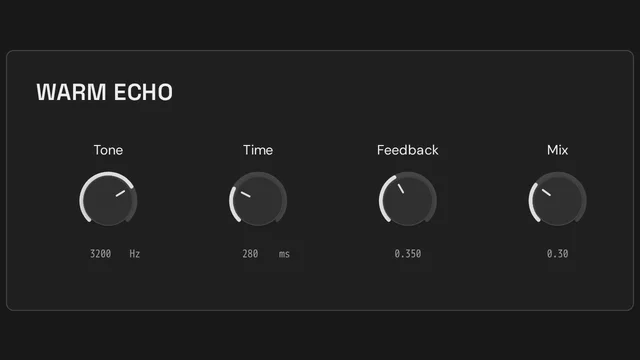
- Open Warm Echo and choose Preview to hear it with the included demo input.
- Lower Tone to soften the sound before it enters the delay. Compare a bright cutoff with a darker one.
- Change Time to hear shorter and longer repeats. Raise Feedback gradually to retain more repeats.
- Adjust Mix to blend the effect with the original audio.
- Choose Create from template, then Create to open an independent Toy. Patch shows the signal path; Frame shows the playable controls.
- Save your work. Publish when you want a shorter playable link with a preview image.
Keep exploring
Build a browser delay effect
Learn how a low-pass filter, delay time, feedback and mix shape a stereo echo in Tune.Toys.
Make your first browser synthesizer
Explore oscillator frequency, level and filtering with a playable sine-wave instrument template.
Reuse a patch with independent controls
Understand nested patches, independent instance state and reusable Frames using two stereo gain stages.